
In the last one to two years, the IT industry has been undergoing a fundamental shift away from "public cloud first" approaches toward self-hosted solutions, driven by regulatory requirements (e.g., GDPR), geopolitics, and IT security. On top of Infrastructure as a Service (IaaS) solutions offered by the usual suspects such as Azure, AWS and Google Cloud, Platform as a Service (PaaS) offers a simple way to deploy all kinds of applications, often only a mouse click or Git commit away. With Coolify, it's now possible to build your own PaaS on top of your own infrastructure.
One of the main benefits that PaaS companies such as Vercel, Heroku, or Netlify have offered with their products is a degree of simplicity that wasn't available for users running applications on self-hosted infrastructure. With any of those companies, however, you would lock yourself into their proprietary ecosystem, often running your applications outside your jurisdiction or with no actual ownership of the data stored within the PaaS.
The Coolify open source tool aims to bridge this gap by providing a one-click deployment solution for websites, databases, and more complex applications. This makes it especially attractive for startups, agencies, indie hackers, and DevOps-minded teams that want flexibility without sacrificing convenience.
Name: Coolify
License: Apache 2
Documentation: https://www.coolify.io/docs/
First Release: 24 March 2021 (1.0.0)
Paid Version: Coolify Cloud (managed control-plane)

Manage applications, databases, and services in one place
Coolify is more than just an app deployment tool. It provides a central place to manage different parts of your infrastructure, including web applications, static sites, full-stack projects, databases, and self-hosted services. Instead of manually configuring everything across separate tools and terminals, Coolify gives you a unified interface for deploying and operating your projects. For teams managing multiple apps or environments, this can simplify day-to-day operations and reduce the friction of running software on your own servers.
One of Coolify’s strongest features is its large catalog of one-click services. With support for hundreds of preconfigured tools, you can quickly launch popular open source services without building every setup from scratch. Need a blog, analytics platform, CMS, database, or internal tool? Coolify makes many of these available through ready-to-use templates. This saves time, reduces configuration errors, and makes self-hosting more accessible for developers who want powerful services without spending hours writing deployment files.
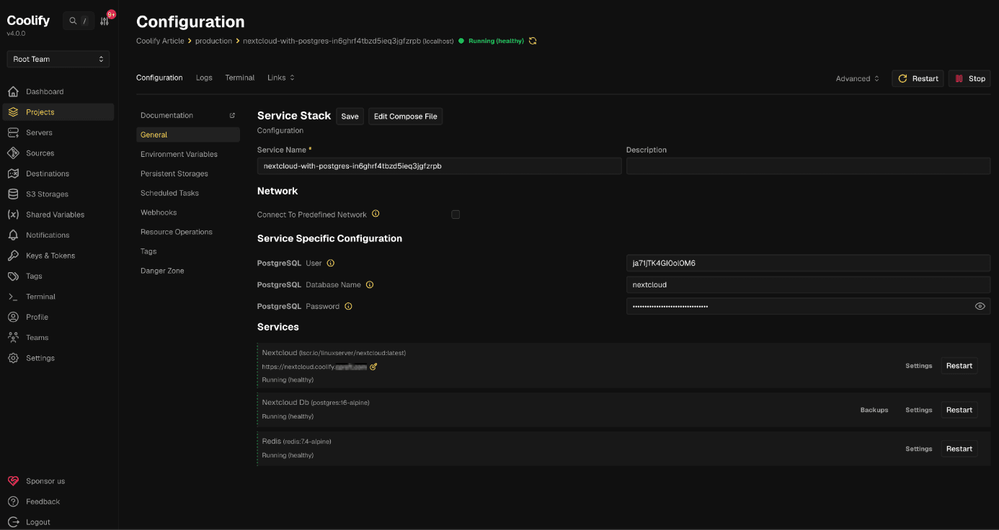
Your own fully-scalable PaaS
Any application you deploy with Coolify runs as a Docker container, and Coolify can also build the container images itself. Coolify supports Git-based deployment workflows, making it easier to connect your code repository and let Coolify deploy changes automatically. This means your development workflow can stay close to what you already know: Push code, trigger a build, and deploy.
Combined with features like environment variables, logs, secrets, health checks, and deployment automation, Coolify helps teams move faster while keeping infrastructure management approachable.
With Coolify, your infrastructure remains yours. You are not locked into a single proprietary hosting platform, and you can choose the server provider, region, cost structure, and architecture that fits your needs.
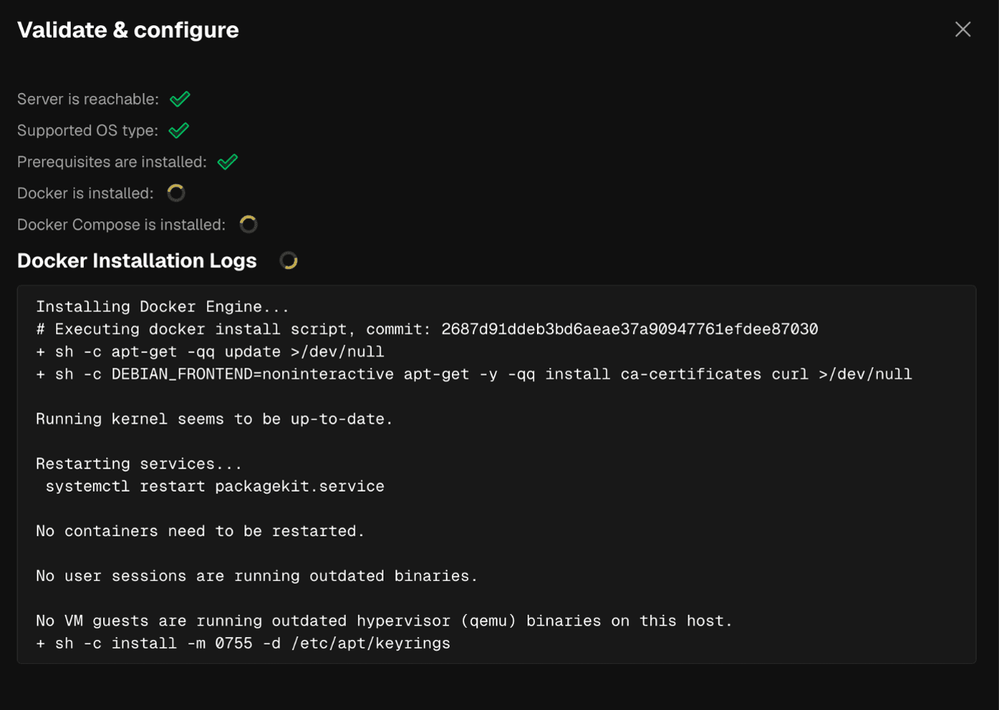
When the single server you just installed Coolify on isn't sufficient to run all of your applications, Coolify lets you add more servers. This way, you can easily scale out your deployments or separate test and production environments onto different machines. All of the servers are manageable from the Coolify web interface, and the Coolify server uses plain SSH to deploy and upgrade applications running on any of the connected servers.
Teamwork
To use Coolify as a team or even as a group of teams, you invite more users and assign each user to a team in Coolify. Each team maintains its own set of servers, so servers assigned to one team are not visible to any other team, and there is no way for teams to share the same underlying virtual or dedicated machine. This avoids the noisy neighbor problem where one team consumes all the resources so no other team can deploy workloads, but it requires more thought to be put into your architecture and team setup up front.
While Coolify supports team collaboration, its permission model should be treated as coarse-grained rather than enterprise-grade RBAC. You can merely assign a user either the "admin" or the "member" role; even members have pretty wide-ranging permissions. There is no way in Coolify to assign per-service or action-level permissions (e.g., "this user can deploy but not delete" or "this user can only manage one service").
Avoid treating Coolify team membership as a least-privilege boundary unless you have tested the exact actions available to each role. For small trusted teams, the model may be sufficient. For larger organizations, contractors, shared hosting, or regulated environments, Coolify’s current permission model is likely one of the areas to evaluate carefully before adoption. There is a GitHub issue asking for more fine-grained permissions, but it is only targeted for Coolify 5.x, so how version 5 will improve the situation remains unclear.
Review & Outlook
With its centralized workload management and general ease of use, Coolify provides many of the features necessary for running applications on self-managed servers, such as VPS or dedicated hardware. The project has a large community of supporters and users active on Discord and GitHub that can usually help with any issues or questions.
In some areas, Coolify still has a few rough edges, and users may need to pay extra attention to production-grade workflows such as backups or upgrades of Coolify itself. There is also no RBAC-style permission model, which makes using the same Coolify instance with a team of users hard or even impossible to implement.
All in all, Coolify is the perfect solution for small teams that need to save infrastructure costs and avoid vendor lock-in.


Soverignty starts with hosting it yourself
Minimize risks. Control costs. Maximize data protection. Rum Coolify on Hetzner Cloud.